Why do wear test surveys miss key details?
The short version: Wear test surveys sent on a fixed schedule ask testers to remember runs from days or weeks earlier, so the details fade. DashLX uses wearable data to detect when a tester completes a real activity, then sends an AI-triggered survey right away. Wearable data covers the context, like distance, location and weather, so the survey only asks what the tester felt. The result is shorter surveys, fresher feedback and higher compliance.
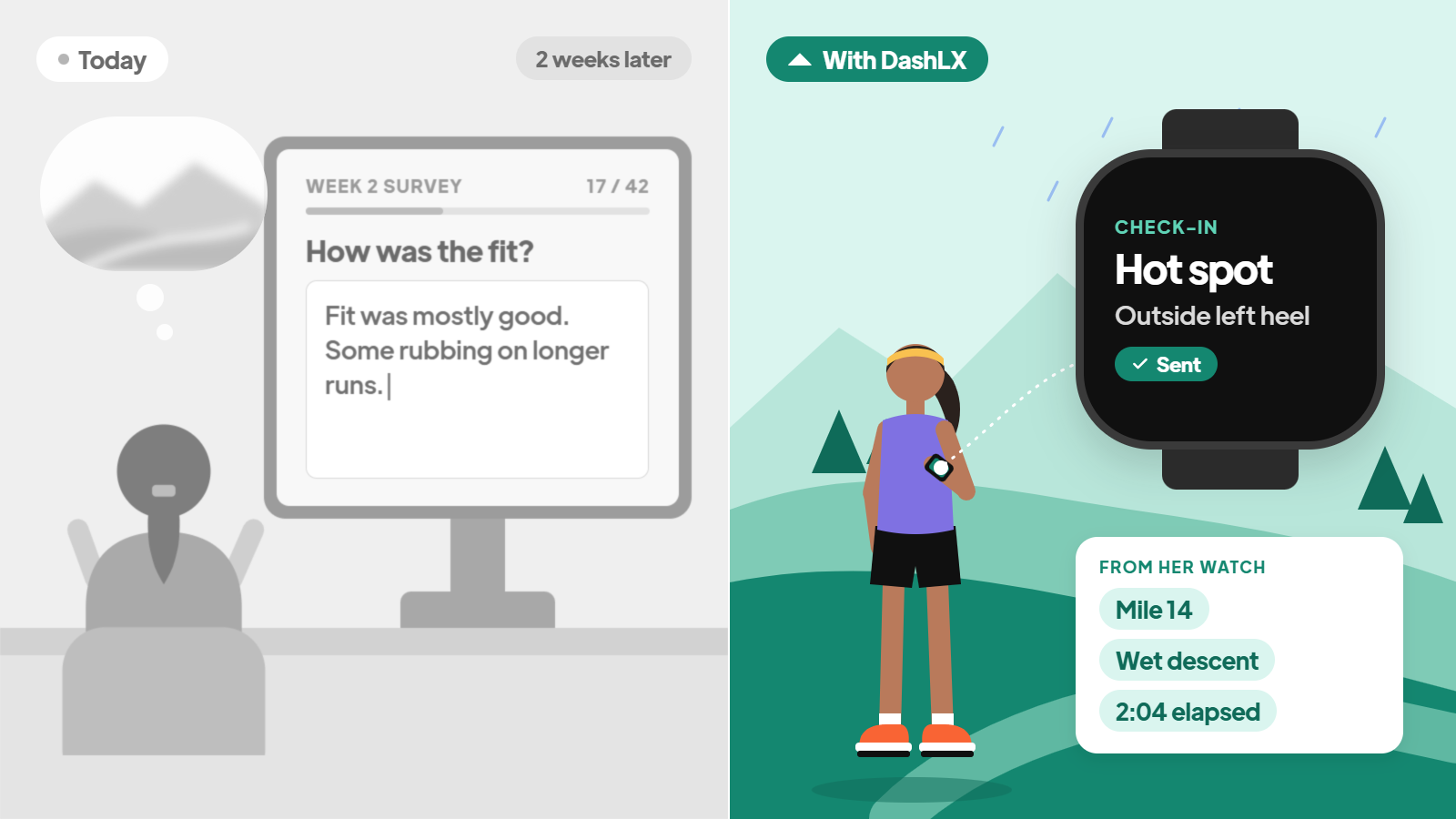
A tester runs in a new trail shoe on a Tuesday. By mile 14 on Saturday, a hot spot is forming on the outside of her left heel. The descent is wet, the shoe is gripping fine, but she's thinking, "I need to tell them about this."
Two weeks later, the scheduled survey arrives. She sits down at her desk, scrolls to the fit section, and writes:
"Fit was mostly good. Some rubbing on longer runs."
That's what the product team gets: a well-meaning summary written from memory. The details that matter are gone:
The context: mile 14, the wet descent, two hours into the run
The experience: a hot spot on the outside of the left heel, and how uncomfortable it actually got
Why wear test surveys run on memory
Wear testers are some of the most engaged people a brand will ever work with. They want to help. The issue is timing.
Most wear tests send surveys on a fixed schedule, often at two, four and six weeks. By the time a tester opens one:
The standout moments blur together
The conditions disappear
What's left is a general impression
That leaves the product team with two jobs:
Sorting the feedback. Hours go into deciding which comments matter, which are noise and which reflect personal bias.
Checking the facts. Did that pair really cover 150 miles? Was the run actually on a wet trail? With self-reported surveys, there's often no way to know without chasing each tester.
We call this the Lived Experience Gap: the distance between what someone experiences in the product and what the brand ends up hearing about it. Closing it takes Lived Experience Data, which pairs testers' real-world activity from their wearables with feedback captured right after it happens.

Survey fatigue widens the gap
Long surveys sent on a calendar wear testers down.
So teams send reminders and follow up one by one, and they still end up with partial data. The fewer testers who respond, the more weight each answer carries, and the harder it is to make a confident product call.

How do activity-triggered wear test surveys work?
Connected wear tests change when the survey goes out. The process takes three steps:
Testers connect the device or app they already use, like Garmin, Strava, Apple Health, Coros and 50+ others.
DashLX uses that wearable data to detect real-world activity in the test product.
An AI-triggered survey goes out automatically when a tester hits a milestone, such as:
Their first 10 miles
Their first wet trail run
Their first run over two hours

What changes for product teams?
Connected wear tests flip this model. Instead of one survey at the end, testers check in right after the run, hike, or session that actually happened. Their feedback is linked to the activity itself: the distance, the terrain, the conditions, the effort.
Feedback arrives while the run is fresh. Testers answer within hours, not weeks, so a hot spot on the left heel gets reported as a hot spot on the left heel.
Surveys only ask what a wearable can't. DashLX replaces most context questions with wearable data, like where the run happened, at what mile, the terrain and the weather. The survey focuses on what only the tester knows: "I got a blister after this run," where it rubbed, and how comfortable the shoe felt.
Every answer is tied to a real activity. Each response becomes Lived Experience Data: what the tester felt, linked to the miles, conditions and effort behind it. There's no need to check every tester's Strava by hand.
So instead of "some rubbing on longer runs," the product team sees a pattern. Heel hot spots, showing up after 90 minutes, mostly on wet descents, across multiple testers. That's something a designer can act on.
It also changes who stays engaged. When feedback is quick and happens in the moment, testers don't drop off halfway through. They keep logging, because it's easy and it feels like it matters.

The Results Show Up in Participation
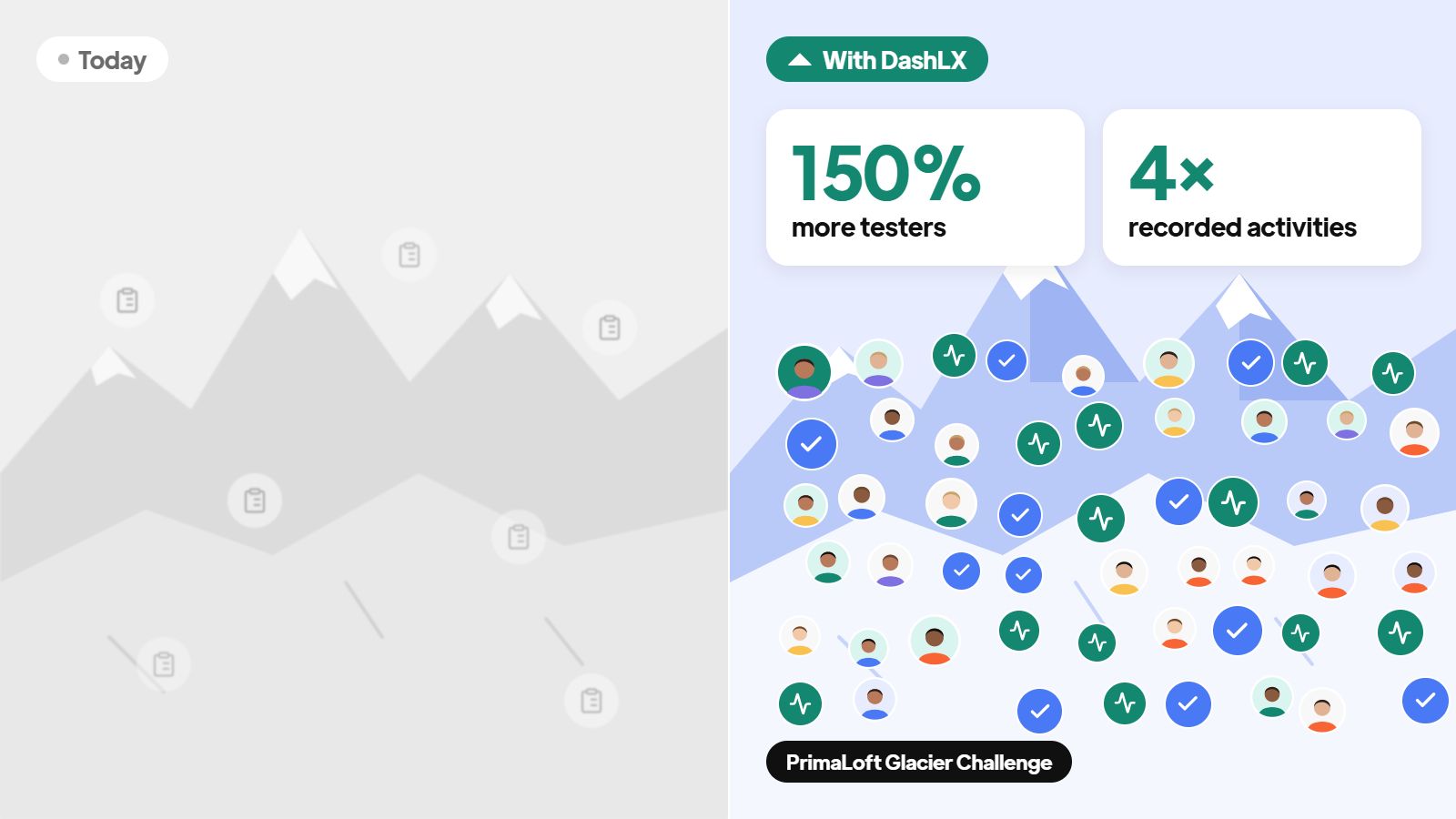
When PrimaLoft ran its Glacier Challenge, the program drew 150% more testers and 4x the recorded activities. More people, logging more real miles, in real conditions. That's the difference between a handful of survey responses and a body of evidence.
See the full case study: PrimaLoft Scales Real-World Product Testing
Trust keeps testers sharing
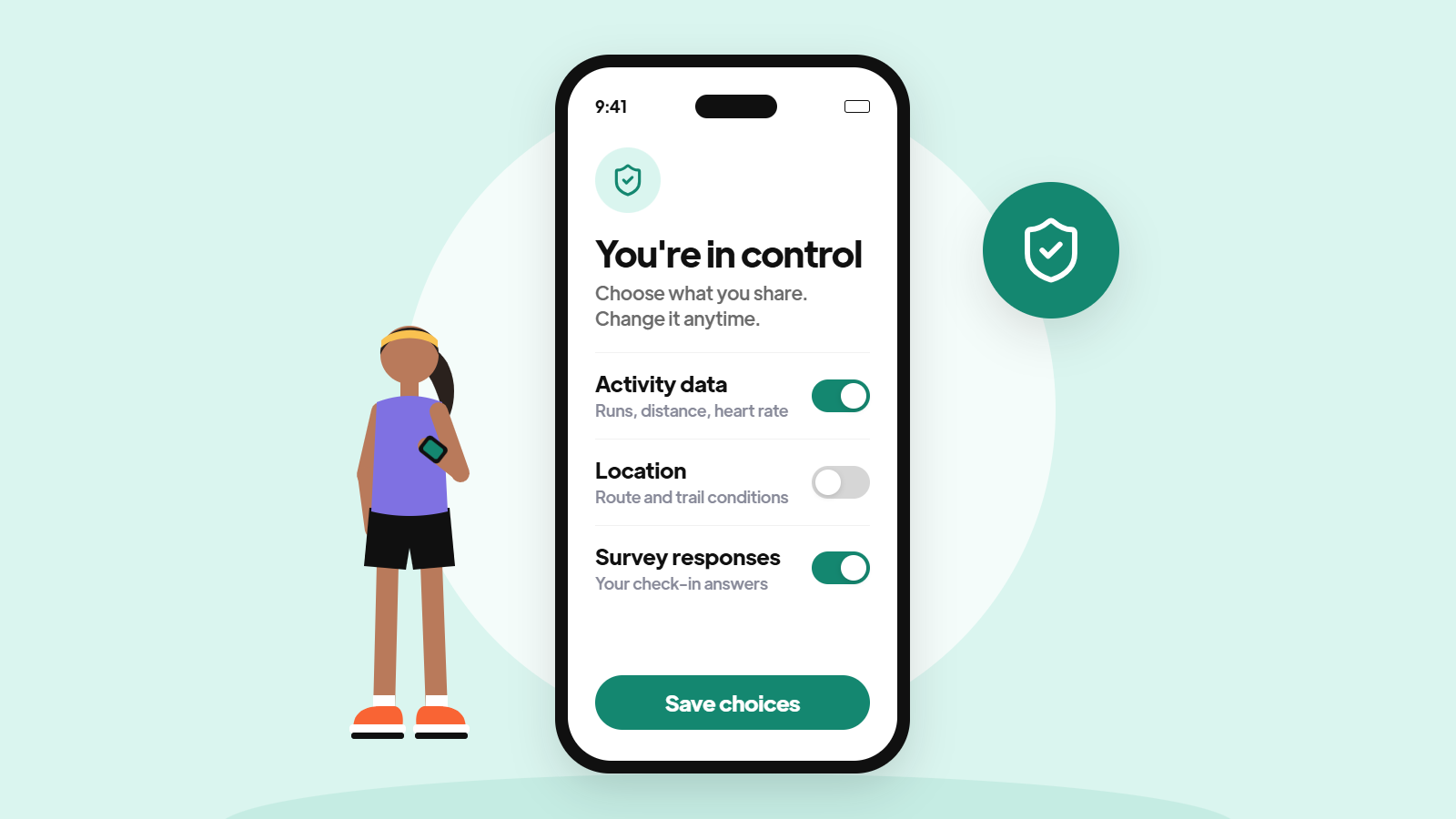
Wear test feedback is zero-party data. Testers choose to share it, directly, because they want to shape the product. That only works if they trust how it's used.
The best programs make that clear from the start: what's being collected, why, and what testers control. When people know their data is respected, they share more, and they share more honestly.
Better Wear Tests Make Attuned Brands
A wear test is one of the few moments where a brand gets to see its product through someone else's lived experience. Most brands waste it on a survey.
The brands that get it right don't just ship better products. They build a habit of listening at the moment it matters, and that habit carries into every part of how they show up for their community.
Your testers are already telling you everything. The question is whether you're there to hear it.
See how DashLX runs connected wear tests. Book a use case mapping session.
Visit trust.dashlx.com to review DashLX's security posture, or contact the DashLX team to request the SOC 2 report as part of a security review.
Frequently Asked Questions About Wear Test Surveys
What is recall bias in wear testing?
Recall bias is the loss of detail and accuracy that happens when testers describe an experience days or weeks later. Conditions, timing and specific fit issues are the first things to fade.
Do you still need a wear test survey if you have wearable data?
Yes. Wearable data tells you where, how far and in what conditions a tester ran. Only the tester can tell you they got a blister after the run, or how comfortable the shoe felt. DashLX uses wearable data to cover the context, so the survey can focus on the experience.
What is Lived Experience Data?
Lived Experience Data is real-world activity data from opted-in wearables and apps, paired with what people say about the products they used. In a wear test, it links each tester's feedback to the actual run, hike or session behind it.
How often should you send wear test surveys?
Tie surveys to activity milestones instead of calendar dates. DashLX detects those milestones from testers' wearable data and sends an AI-triggered survey right after a first long run or first wet run, while the feedback is still accurate.
Can testers use the devices they already own?
Yes. Testers connect the wearables and apps they already use, so brands don't have to ship devices for each test.
How do you verify that testers did the miles?
When surveys are triggered by wearable data, each response comes with the distance, conditions and effort behind it, so mileage doesn't rely on self-reporting.


-Photoroom%201.png)
.svg)